
VEdit After Effects & Filters!
Glitches, after effects and filters that make your videos stand out
Screenshots


About VEdit
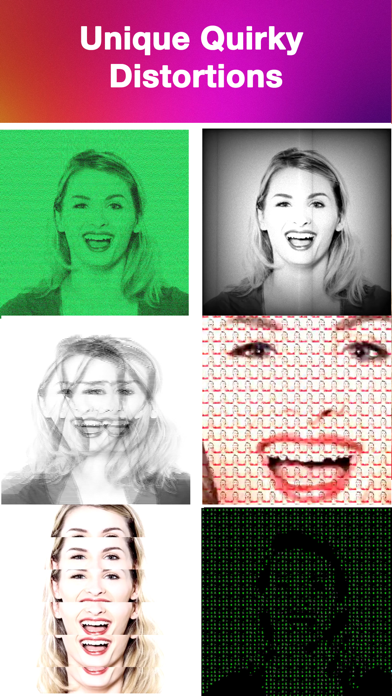
VEdit is for creators who want their videos to look like nobody else’s. It takes pre-shot clips from your camera roll and layers on glitches, after effects and colorful filters — more than fifty of them, many genuinely unlike anything in other editing apps. If you post short videos on social platforms, it’s the quickest way to stop the scroll.
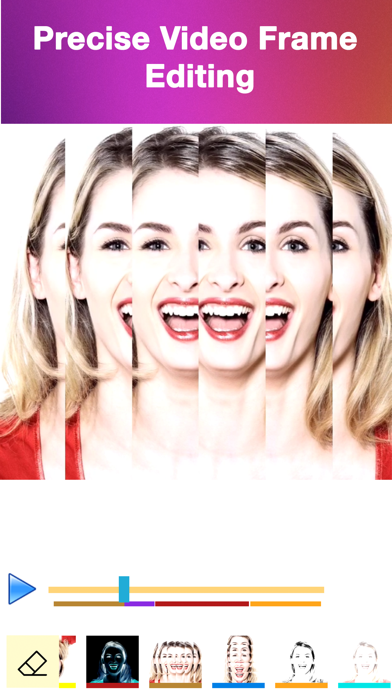
Precision is the core of the experience. VEdit lets you work frame by frame, starting and ending each effect on the exact moment you choose, stacking multiple effects on a single video, and erasing an effect from specific frames when an edit goes wrong. That level of control usually belongs to desktop software, not a phone app.
VEdit fits anyone posting to short-video platforms — from casual creators spicing up a clip to regular posters building a signature style. Edit, export to your camera roll, or share straight to Instagram, Twitter, Facebook and beyond.
Key features
50+ unique effects
Choose from more than fifty quirky effects, glitches and colorful filters you won't find in other editors.
Frame-by-frame precision
Apply effects exactly where you want them with precise frame-by-frame editing control.
Stack multiple effects
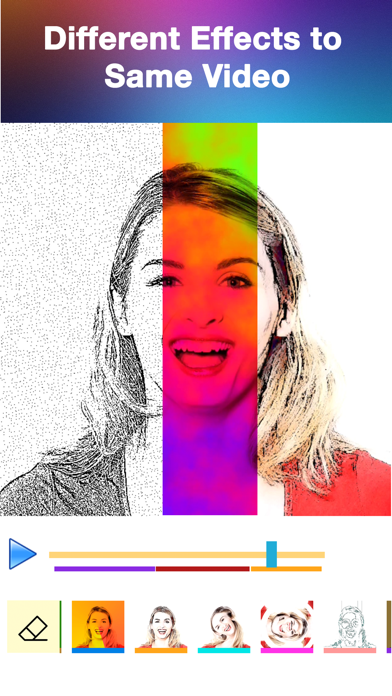
Layer several effects onto a single video to build a look that's completely your own.
Erase and undo mistakes
Made a slip while editing? Erase effects from individual frames without starting over.
How to use VEdit
Download VEdit from the App Store
VEdit is free to download and works on iPhone and iPad running iOS 9.0 or later.
Import a video
Open a pre-shot video from your camera roll — short clips destined for social media work especially well.
Add effects, glitches and filters
Scrub frame by frame and apply one or several effects exactly where you want them; erase from any frame if you change your mind.
Save and share your clip
Export the finished video to your camera roll or share it directly to Instagram, Twitter, Facebook, Messages and more.
Frequently asked questions
What makes VEdit's effects different from other video editors?
VEdit focuses on unique, quirky effects, glitches and colorful filters — over fifty of them — that are hard to find elsewhere. Combined with frame-by-frame placement and the ability to stack multiple effects on one clip, it's built for making short videos that stand out in a crowded feed.
Is VEdit free to use?
VEdit is free to download from the App Store and you can start adding effects right away. Some premium features may be offered inside the app, including access to the full effect library and editing longer videos.
Does VEdit work offline?
VEdit edits videos already saved on your device, so you can cut and apply effects without a connection. You'll only need internet when sharing your finished clips to social platforms.
Which devices does VEdit support?
VEdit runs on iPhone and iPad running iOS 9.0 or later. An Android version is planned — check back on this page for the Google Play link.
Can I control exactly where an effect appears in my video?
Yes — that's VEdit's specialty. Precise frame-by-frame editing lets you start and stop each effect on the exact frames you choose, and if you make a mistake you can erase the effect from those frames rather than redoing the whole edit.
Can I use VEdit for TikTok, Reels and Shorts?
That's exactly what it's made for. VEdit is designed as a companion for popular social and short-video services — edit your pre-shot clip, add glitches and filters, then share it with your favorite sharing method or save it to your camera roll to upload.
Get VEdit today
Free to download — join the users who already love it.